

How to Preserve Dashcam, Traffic Camera, and Surveillance Evidence After a Fort Lauderdale Crash
After a motor vehicle crash in Fort Lauderdale or elsewhere in Broward County, digital evidence may be available—but not for long. Dashcam clips can be overwritten, surveillance systems may record over footage, app information can be difficult to obtain later, and witness memories can fade quickly. Preserving what exists early can make a meaningful difference in understanding how a collision occurred.
At Englander Peebles, we help injured people and families act promptly after crashes on local roads, including I-95, I-595, the Florida Turnpike, and busy Fort Lauderdale intersections. This is not a broad post-crash checklist. It is a focused look at the time-sensitive digital information that may disappear before anyone realizes it is important.
Why Digital Evidence Has a Short Shelf Life
Many cameras do not keep recordings indefinitely. A dashcam may loop over older files once its memory card fills up. A nearby business may have a system that automatically deletes footage after days or weeks. Apartment, condominium, parking-lot, and garage cameras may work the same way.
Even when video still exists, it may be harder to locate as time passes. Staff members change, devices are replaced, and someone may not know which camera covered the entrance, driveway, aisle, or intersection where the crash happened. That is why the first question after a collision often should be: What digital evidence might exist right now?
Dashcam Footage Can Be Overwritten
Dashcams can capture the seconds before impact, surrounding traffic, lane positions, brake lights, weather conditions, and what happened immediately afterward. This can be especially helpful in a disputed rear-end crash, a side-impact collision at an intersection, or a highway wreck involving an unsafe lane change.
However, many cameras continuously record in a loop. Once storage is full, newer recordings may automatically replace older ones. If you have a dashcam, save the original clip as soon as it is safe to do so. If another driver, passenger, or witness mentions having a camera, record their name, contact information, and the device or vehicle involved.
Whenever possible, keep the original file intact. Avoid trimming it, adding captions, applying filters, or sending only an edited version through a social-media app. Make a backup copy for viewing or sharing, while preserving the original file and its available date, time, and location information.
Traffic and Intersection Cameras May Matter
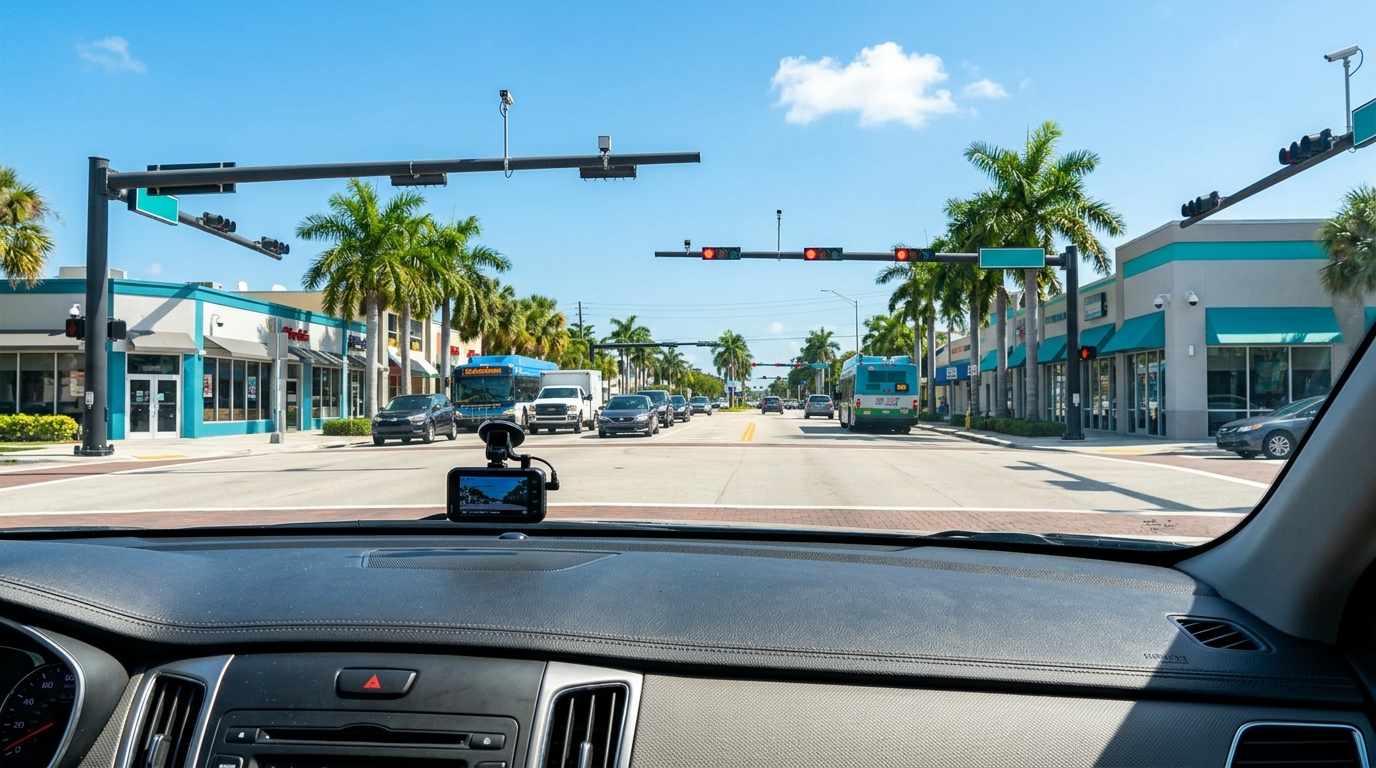
A crash at a busy Fort Lauderdale intersection may have been recorded by a nearby traffic camera, roadway camera, private security camera, or camera mounted on an adjacent building. The same can be true near on-ramps, exits, and congestion points along I-95, I-595, or the Florida Turnpike.
Not every camera records video, and not every recording is publicly accessible. Still, identifying potential camera locations quickly is worthwhile. Note the cross streets, direction of travel, nearby signs, businesses, transit stops, and visible camera poles. Details that seem ordinary at the scene can later help determine where relevant footage may have been captured.
Englander Peebles can assess the available information and, when appropriate, take prompt steps to seek preservation of evidence. Formal preservation requests may be needed in some situations, particularly when footage is controlled by a government entity, business, property manager, or another third party.
Businesses, Apartments, and Parking Lots Often Record More Than Expected
After a crash near a shopping center, restaurant, gas station, office building, apartment complex, or parking garage, look beyond the roadway. Cameras may face driveways, entrances, loading zones, parking-lot lanes, sidewalks, and exit gates. A camera that does not point directly at the impact may still show a vehicle approaching, leaving, or making a turn.
Write down the business or property name, street address, and the approximate camera location. A quick photo of the exterior of the building or the camera’s general direction can also be useful. If you speak with an employee, security guard, or property manager, make a note of the person’s name and the date and time of the conversation.
Do not assume that a request made days later will reach the right person before a system records over the video. Prompt, organized action is often more useful than repeated informal follow-up after the footage may already be gone.
Rideshare and Vehicle Data Can Be Time-Sensitive
When an Uber, Lyft, taxi, delivery vehicle, commercial truck, or other company-operated vehicle is involved, digital records may extend beyond video. Rideshare app data may help establish trip timing, pickup and drop-off details, route information, and other activity connected to the ride. A commercial vehicle may also have onboard technology, including GPS records, electronic logs, telematics, or event data.
Passenger vehicles can contain event data recorders, sometimes referred to as “black boxes.” Depending on the vehicle and crash, the data may relate to factors such as speed, braking, steering, seat belt use, or airbag deployment. This information can be lost, altered, or become harder to access if a vehicle is repaired, sold, salvaged, or otherwise handled before the issue is evaluated.
These sources involve technical and legal considerations. A Fort Lauderdale car accident lawyer can help determine whether a formal request to preserve potentially relevant data should be made promptly.
Your Phone Photos and Videos Need Protection, Too
Photos and videos from a phone can be powerful evidence, but only if they are preserved carefully. Keep the originals when possible. Cloud backups are helpful, yet it is still wise to confirm that the files uploaded successfully and remain accessible. Save images and videos in more than one secure place.
Avoid altering originals or relying only on screenshots. Screenshots and edited clips can leave out useful context, including metadata or the full sequence of events. If you need to share material with an insurer, family member, or attorney, send copies while retaining the original files.
It can also help to make a simple written note identifying what each image or video shows: the location, the approximate time, the direction the camera faced, and the vehicles or conditions visible. This is not about creating a perfect record. It is about preserving useful context while it is still fresh.
Witness Information Can Fade Even Without a Camera
Witness evidence is not always digital, but it is just as perishable. People may remember a traffic signal, a sudden lane change, a phone in a driver’s hand, or the sequence of a multi-vehicle collision immediately after it happens. Weeks later, important details may be unclear.
When possible, collect witness names, phone numbers, email addresses, and a brief note about where they were standing or driving. A witness may have taken a photo, recorded a video, or captured the collision on a dashboard camera without mentioning it initially. Preserving a way to contact them can be important.
A Practical Digital Preservation Approach
If you have access to crash-related digital material, focus on preservation rather than perfection. Save original files, create secure backup copies, and avoid edits. Document the date, time, roadway or intersection, and the location of nearby cameras or potential witnesses.
Do not post crash photos, videos, or commentary publicly without thinking carefully about the consequences. Public posts can be misunderstood, copied, or taken out of context. Keep a record of what you have, where it came from, and who may control other relevant evidence.
At Englander Peebles, our South Florida personal injury team handles car, truck, motorcycle, rideshare, bicycle, and pedestrian crash claims throughout Fort Lauderdale, Broward County, and nearby communities. We cannot guarantee a particular result, but we can help evaluate the circumstances and move quickly when time-sensitive evidence may be at risk.
FAQ
How long do businesses keep surveillance video after a crash?
Retention periods vary widely. Some systems overwrite recordings in days, while others keep footage longer. Because there is no universal timeline, it is best to identify the business or property and act promptly.
Can traffic camera footage help after a Fort Lauderdale crash?
It may help, depending on the camera, its location, whether it recorded the relevant time period, and who controls the footage. Not all traffic cameras create or retain usable video, but documenting potential camera locations quickly can be valuable.
Should we edit dashcam footage before sharing it?
It is generally better to preserve the original, unedited file. You can create a separate copy for viewing or sharing, but keeping the original may preserve context and available file information.
What if a rideshare vehicle was involved in the accident?
Rideshare-related crashes may involve app records in addition to ordinary crash evidence. Preserving trip details, receipts, screenshots, and relevant communications can be helpful, while a lawyer can assess whether further preservation steps may be appropriate.
When should we contact a car accident attorney about evidence?
Contacting a lawyer promptly can be important when you believe video, vehicle data, or third-party records may exist. Early legal guidance may help identify evidence that needs attention before it is overwritten or otherwise lost.
If you or a loved one was hurt in a Fort Lauderdale or Broward County crash, contact Englander Peebles for a free consultation. Call us at (954) 226-9134 or visit our website to discuss your situation and the evidence that may still be available.
How to Preserve Dashcam, Traffic Camera, and Surveillance Evidence After a Fort Lauderdale Crash
Who Is Liable in a South Florida Delivery Truck Accident?

How Insurance Companies Handle Personal Injury Claims

Slip and Fall Claims: What Injured Victims Should Know

What Rideshare Passengers Should Do After a Crash
What To Know About Summer DUI And BUI Checkpoints

Essential Pool Safety Tips for Fort Lauderdale Families and Visitors

Fireworks Safety Month: Essential Tips for Homeowners

Bicycle Safety Month: Working Together for Safer Roads

Motorcycle Safety Awareness: Reducing Risks for Everyone
Proving Distracted Driving With Digital and Physical Evidence

When a Fall Becomes a Legal Matter: Understanding Premises Liability
What If You Were Partially at Fault? Florida’s Modified Comparative Negligence Rule Explained
Should You Install a Dash Cam? Key Facts for Drivers
Spring Break Safety Tips: Simple Ways to Protect Yourself on Vacation
Do You Need a Lawyer After a “Minor” Car Accident in Florida?
What to Do After an Accident with an Uninsured Driver
How Long Do You Have to File a Florida Car Accident Claim? Deadlines That Can Cost You Everything
Should You Accept the Insurance Company’s First Settlement Offer After a Florida Car Accident?
7 Signs You Need a Personal Injury Attorney After a Wreck
The Importance of Seeing a Doctor After Any Car Accident

Understanding Florida’s 14-Day PIP Rule and How It Affects Your Car Accident Claim

7 Signs You Need a Personal Injury Attorney After a Wreck
Florida Truck Accidents: Why They’re Different from Car Crashes

Football Season and Head Injuries: Legal Issues in Youth Sports
What to Do If You’re in a Car Accident in Fort Lauderdale
The Real Cost of a Truck Accident in Fort Lauderdale and South Florida
Who’s Liable in an Uber or Rideshare Accident in Florida?
What to Do After a Car Accident in South Florida
